company logo

Help Center

Go to Ryviu
HomePricingDashboardShopify AppWoocommerce Plugin
All collectionsRyviu FeaturesPremium FeaturesShow Featured reviews sidebar on your store

Show Featured reviews sidebar on your store

This article will guide you on showing featured reviews using Sidebar widget for your store.

Yen Ma·November 18, 2026
info icon
This feature is only supported in paid memberships.

Please enable the featured reviews sidebar on your store by following these steps.

  1. Log in to Ryviu Dashboard.

  2. Navigate to Widgets.

  3. In the Reviews Quick Access Button widget, click on the Customize button.
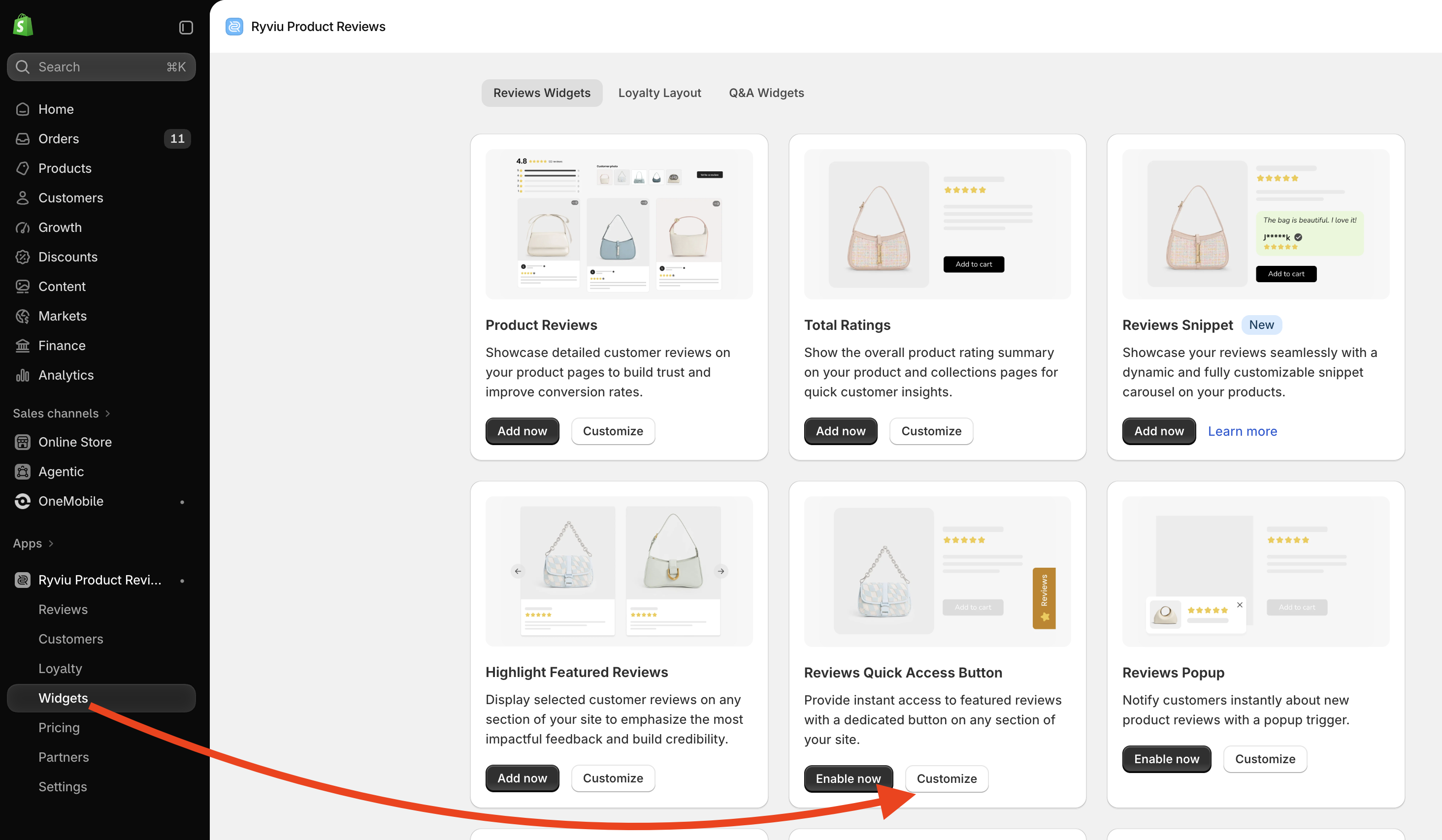
    Rivyo Product Reviews Widgets page shows review widget cards, with a red arrow from the selected Widgets sidebar item pointing to Enable now for Reviews Quick Access Button. Visible: Rivyo Product Reviews, Reviews Widgets, Loyalty Layout, Q&A Widgets, Product Reviews, Total Ratings.
  1. Enable the Sidebar widget and configure it on the following settings page.
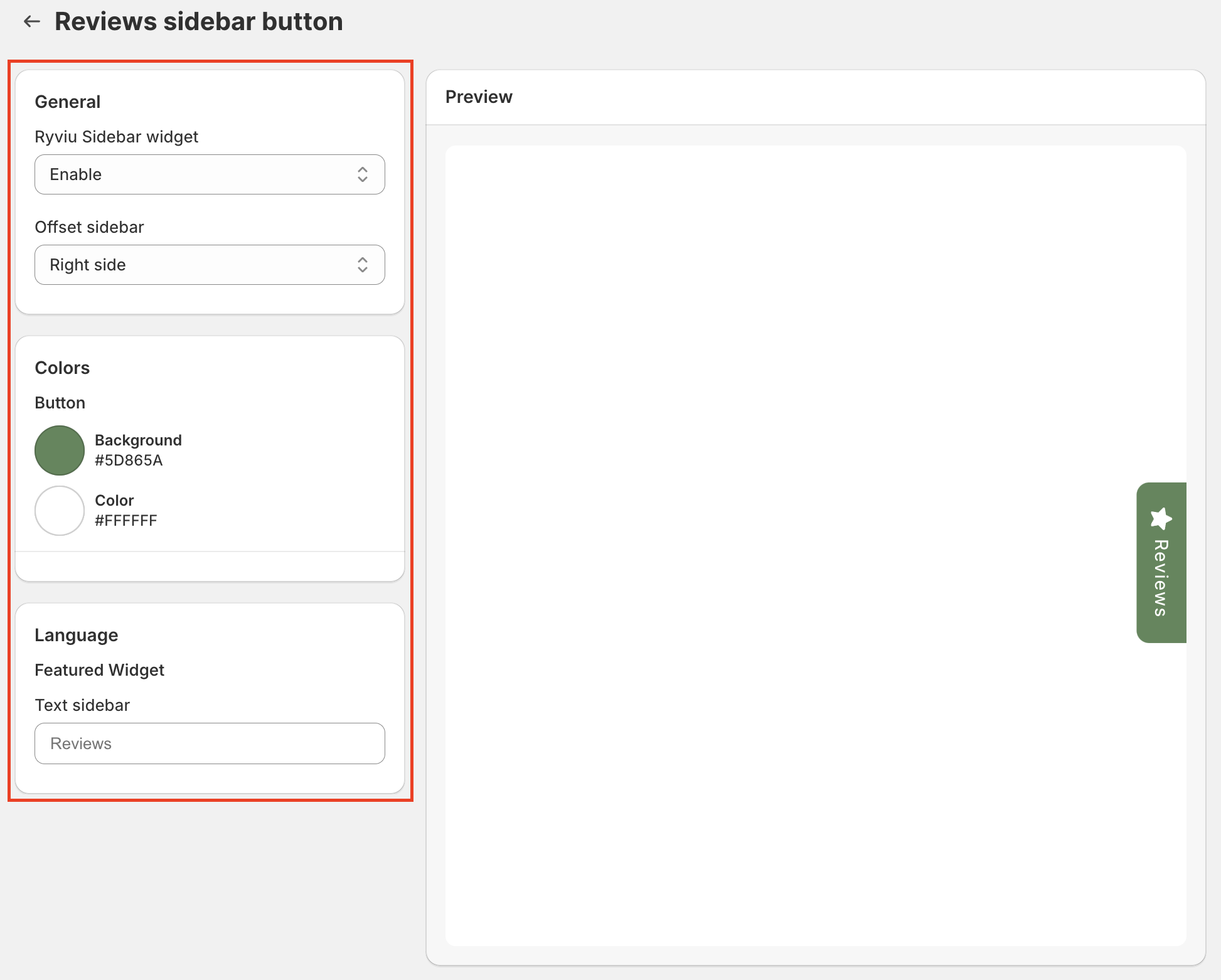
  1. Save the changes.

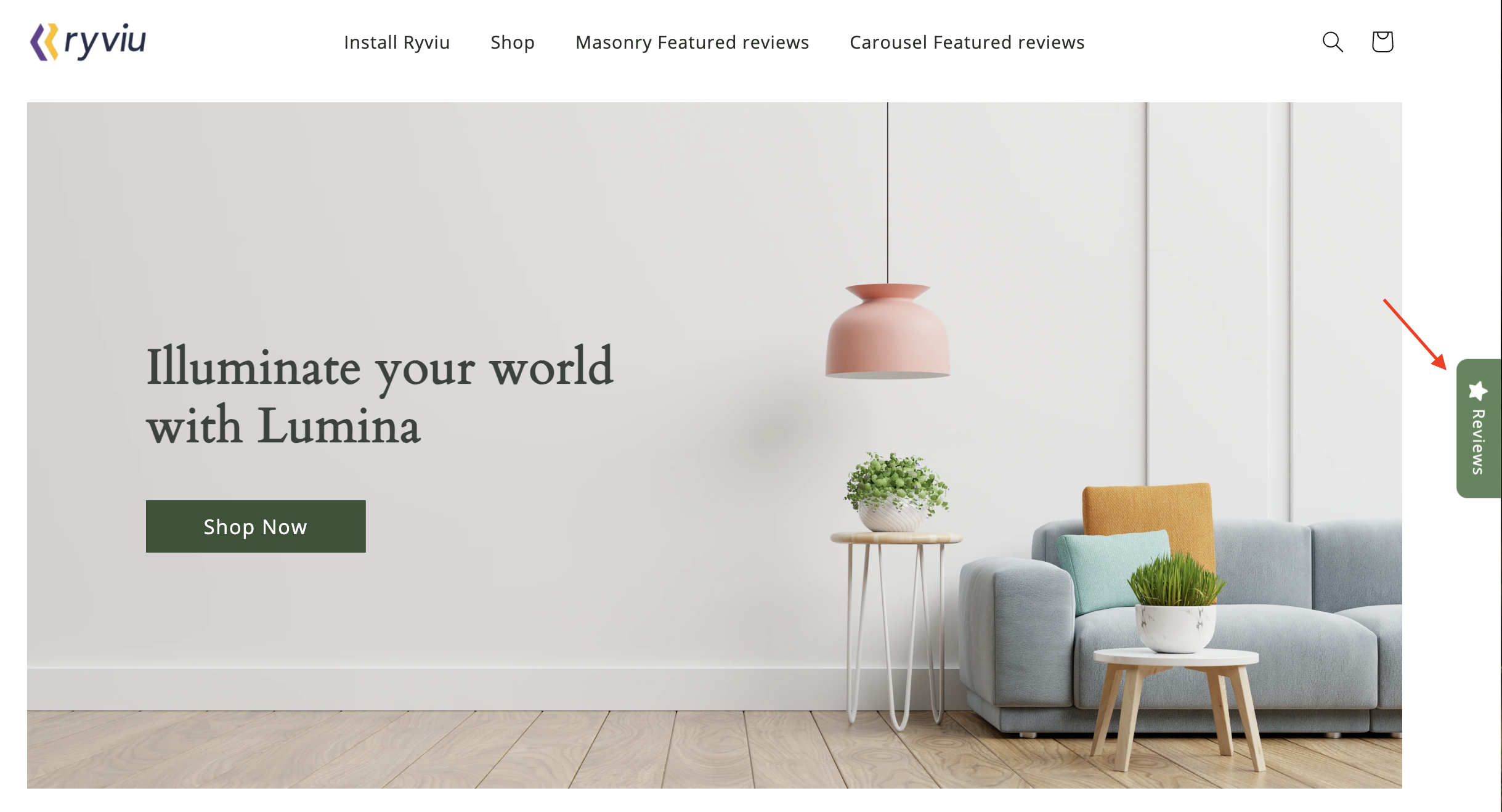
Check how it works on our demo store.

Need help?

Get in touch with our support team through live chat or email at [email protected]. We're here to help!

Did this answer your question?
😞
😐
😁